Labels

Showing posts with label Parks On The Air. Show all posts

Thursday, January 25, 2024

Elecraft KX3 Macros for DXpeditions & POTA Using the QRPWorks SideKar

 In my previous post Elecraft KX3 Macros for Multi-Mode POTA Activations, I wrote about the recursive macros I programmed into the KX3 to switch between the 3 most common modes (CW, SSB, FT-8/4) I use during my POTA activations. I also mentioned that I recently acquired a QRPWorks SideKar Decoder Edition. To say this is a memory keyer is a misnomer. Yes, the 'keyer' not only allows messages but also macros and it allows 20 message/macros in 10 different groups for up to 200 messages/macros. It also has a built-in logger (up to 1000 QSOs), wireless keyboard support (2.4 GHz keyboards), and a decoder for CW, RTTY, and PSK31! In short, this is a game changer as I continue my 1-man DXpeditions and international POTA park activations!

Working "pileups" from a DX entity is more demanding than the pileups POTA activators typically encounter when activating parks in the US. So, to help manage the pileup on CW and (sometimes) SSB, I work SPLIT. Split operation is essentially transmitting on one frequency but listening on another. For example, in CW mode I always work split up 1 which means I will transmit on 14.025 MHz, but I am listening on 14.026 MHz. If another station transmits on 14.025 MHz, I will not hear them, and even worse, the stations that are listening for my signal may not hear me if someone is also transmitting on my DX frequency! (Setting a rig for split operation is explained in the transceiver's manual.)

Since I already used 7 of the 8 available rig macros on the KX3, I wanted a way to include macros for split operations, and also for RTTY and PSK31. Enter the QRPWorks SideKar! The SideKar will store up to 20 messages/macros. So, back to macro editing, I created a few more macros for my upcoming DXpedition activations. 


Line items 1 - 3 and 6 - 8 are messages assigned to the respective function keys on the wireless keyboard. Line items 11 - 13, and 16 - 20 are macros assigned to ALT key + function keys F1 - F3 an F5 through F10 respectively. Let's take a closer look at the macros. Referring back to my previous post, pressing PF1 on the KX3 will configure the KX3 for either CW, SSB, or FT-8 mode. So, first I will set the KX3 into CW mode, find an open frequency, then press ALT + F1 to put the KX3 into split operation listening up 1 KHz. That macro is:

 SWT25;SWT25;UP4;BW0050;FT1;LK1;

These commands are specific for the KX3, but the idea of what the macro does is generally universal if you can load macros into your rig, so lets take a look at what these commands do.

SWT25; -  simulates pressing the A > B key to set VFO B to VFO A
SWT25; -  pressing the A > B switch a second time copies all configuration
                 settings from VFO A to VFO B
UP4; -    changes VFO A up 1 KHz 
BW0050; - increases the 'listening' bandwidth of VFO A
FT1; -    puts the transceiver into SPLIT operation
LK1; -    Locks VFO A (the CW macro turned on RIT to adjust VFO A if needed)

The macro on line 12 basically does the same thing as the macro on line 11, but it puts the rig into split operation with a 5 KHz offset between VFO B and VFO A for SSB mode. The macro on line 13 unlocks VFO A, turns off split operation, and sets VFO A, to VFO B frequency since that was the transmitting frequency. 

The values used for offsetting the frequency are a bit cryptic, and the values may be different for your transceiver. For Elecraft the values are listed below.

0 = 1Hz
1 = 10 Hz
2 = 20 Hz
3 = 50 Hz
4 = 1 KHz
5 = 2 KHz
6 = 3 KHz
7 = 5 KHz
8 = 100 Hz
9 = 200 Hz

The macros on lines 15 - 17, and 18 - 20 are similar to the macros created for FT-8 modes and frequencies in the previous post but configure the KX3 for RTTY and PSK modes and calling frequencies on 20-, 15-, and 10-meter bands respectively.

The messages and macros I use for POTA activations are very similar to the ones I use for my 1-man DXpeditions except I don't include the macros for split operation. (NOTE: I do use split on my DXpeditions even when I'm operating from a POTA referenced park, but I don't call "CQ POTA."

The SideKar utility allows us to define 20 messages or macros in 10 groups. That's 200 possible message/macros. I created groups based on my favorite activities when operating portable (including my DXpeditions) as shown below. 


Line items 1 through 10 are contest messages for running and pouncing in CW and RTTY modes for the CQ WW WPX contests. When I am at a DX entity during a contest weekend, I simply change the [callsign] to the appropriate callsign for the DX location I am operating from, connect the SideKar to the computer, download the contest messages/macros into the SideKar and go into contest mode! At the end of the contest, I connect the SideKar back to the computer, select my DX callsign, and download those messages/macros back into the magic box! 

I also tried to keep messages/macros on the same function keys for ease of use, but I also made-up 4"x6" cheatsheets with the message/macro assignments on one side and SideKar shortcut keys commonly used on the other side of the card for those times when I might be experiencing a senior moment. 

Thursday, January 18, 2024

Elecraft KX3 Macros for Multi-Mode POTA Activations

When I activate parks, I often try to operate in more than a single mode to provide a variety of ways for hunters to contact me. But switching between the modes often entails various adjustments and changes to menu settings for optimum performance of the rig. Occasionally when I switched between operating modes, I always seemed to forget one or two settings even with a cheat sheet. Fortunately, the Elecraft KX3 and other rigs make it easy to switch modes and automatically change the different settings using macros. In layman's terms a macro is simply a sequence of codes that automatically perform a repetitive set of actions programmatically. For example, on the KX3 in SSB mode I always set the bandwidth to 2.8 KHz, set AGC to slow, and AFX mode set to "delay." But when I switch to CW mode, I set the bandwidth to 250 Hz, the AGC is set to fast, and AFX mode is set to "pitch," and in FT-8 mode the bandwidth is set to 4 KHz, the AGC is turned off, and the AFX mode is also turned off. These are just a few of the different settings I use when switching between modes. So, instead of having to remember all the customs settings for each mode, I wrote some macros specifically for my Parks on the Air (POTA) activations and uploaded them to my KX3 to make mode and band changes brain-dead simple. 
 (I have a second set of macros that I use for my 1-Man DXpeditions where I only operate SPLIT for CW (and sometimes SSB) and F/H mode in FT-8 and will detail that in a later post.)

The commands for programming macros for the KX3 (and KX2 and K3) are found in the Programmer's Reference. The programmer's reference explains all the command codes to adjust various settings and menu options in the radio. There are a lot of options, but each macro is limited to 120 characters, so the settings for each macro must be chosen carefully. Elecraft also provides a utility program for each radio that allows users to create macros and test them before uploading them to the radio. So, without further ado, here are the macros I wrote specifically for my US POTA activations with a brief explanation of each. Let's start with my macro for phone mode or SSB. The macro is:

MD2;BW0280;PA1;NB1;NL7;GT004;MG40;MN135;MP000;MN082;MP001; 
MN105;MP001;MN110;SWT27;SWH18;SWT19;SWH26;MN255;

Notice each command is followed by a semi-colon (including the last command in the string), and there are no spaces between commands. The following is an explanation of the settings: 
  • MD2; - sets the mode to USB  
  • BW0280; - sets the bandwidth filter to 2.80 KHz. 
  • PA1; - turns the preamp on
  • NB1; - turn on noise blanker
  • NL7; - sets noise blanker level to 7 (mid-range)
  • GT004; - set AGC to ON (if turned off) and AGC to SLOW
  • MG40; - sets MIC GAIN to 40
All MNxxxx commands are settings accessed via the menu functions. MPxxx are the specific bit menu parameters.
  • MN135; - MIC BIAS menu item
  • MP000; - sets MIC BIAS OFF (not needed for my headset)
  • MN082; - MIC BUTTON menu item
  • MP001; - sets MIC BUTTON to PTT
  • MN105; - AFX mode menu item
  • MP001; - AFX audio mode to DELAY
The next set of commands are used to control the macro assignment buttons PF1 and PF2 and which macro they will call. 
  • MN110; - Macro Function menu item
  • SWT27; - taps the ATTN (#2) button to call MACRO 2 (CW settings)
  • SWH18; - assigns MACRO 2 to the PF1 button
  • SWT19; - taps the NR (#1) button for MACRO 1 (SSB settings)
  • SWH26; - assigns MACRO 1 to the PF2 button
  • MN255; - exits the menu 
Let's assume the radio is in SSB mode when we start. PF2 is set to MACRO 1 which are the SSB mode settings. This is because when switching bands, the KX3 will revert to the previous settings used on that band. If I still want to operate in SSB mode, I simply press PF2, and it will automatically reset all the settings based on my SSB macro commands. Pressing the PF1 button will call MACRO 2 and change the radio settings to the configuration I use for CW mode operation and is described below.

MD3;BW0025;NB1;NL7;GT002;PA1;RT1;RC;KS020;MN135;MP000;MN082;MP000;MN105;MP002;MN110;SWT20;SWH18;SWT27;SWH26;MN255;

  • MD3; - sets the mode to CW
  • BW0025; - sets bandwidth to 250 Hz
  • NB1; - turns on noise blanker (NB)
  • NL7; - sets noise blanker to 7 (mid-range)
  • GT002; - sets AGC to FAST
  • PA1; - turns on preamp 
  • RT1; - turns on RIT
  • RC; - centers RIT
  • KS020; - sets key speed to 20 wpm
  • MN135; - MIC BIAS menu item
  • MP000; - sets MIC BIAS to OFF
  • MN082; - MIC BUTTON menu item
  • MP000; - sets MIC BUTTON to OFF
  • MN105; - AFX Mode menu item
  • MP001; - AFX audio mode to PITCH
  • MN110; - Macro Function menu item
  • SWT20; - taps the APF (#3) button to call MACRO 3 (FT-8 settings)
  • SWH18; - assigns MACRO 3 to PF1
  • SWT27; - taps the ATTN (#2) button for MACRO 2 (CW settings)
  • SWH26; - assigns MACRO 2 to PF2
  • MN255; - exits the menu 
For POTA activations in the US, I do not operate SPLIT, so I am not worried about setting VFO B. Also, although VOX is requried on the Elecraft for CW, I do not have a command to turn on VOX because the only way to do that programmatically is to simulate pressing the VOX button. However, if VOX is already turned on in CW mode, and I send a command to 'tap the VOX button' (SWT29), it will actually turn VOX off. So, this is something I must remember to check when switching to CW mode.

Note that the macro assignment portion of MACRO 2 reassigns the PF1 button to MACRO 3 (FT-8 mode), and the PF2 button is assigned to MACRO 2 (CW mode). Again, when changing bands, the band retains the last used configuration, so pressing the PF2 button will reset the radio settings to my CW mode settings to continue using CW on a new band. Pressing the PF1 button will activate MACRO 3 which configures the radio for FT-8 mode, and specifically for FT-8 on 20 meters as shown below.

FA00014074000;DELAY;MD6;DT0;BW0400;AG015;MG040;MN128;MP000;MN105;MP000;MN135;MP000;MN110;SWT19;SWH18;SWT28;SWH26;MN255;

  • FA00014074000; - sets VFO A to 14.074 MHz
  • DELAY: - delays processing commands for @10 ms for band changes
  • MD6; - sets the mode to DATA
  • DT0; - DATA A mode
  • BW0400; - sets bandwidth to 4 KHz
  • AG015; - sets AF Gain to 15
  • MG040; - sets Mic Gain to 040 
  • MN128; - AGC mode menu
  • MP000; - turns AGC off
  • MN105; - AFX mode menu
  • MP000; - turns AFX off
  • MN135; - MIC BIAS menu
  • MP000; - turn off MIC BIAS
  • MN110; - Macro Function menu
  • SWT19; - sets MACRO 1 (SSB macro)
  • SWH18; - assigns MACRO 1 to PF1 (loops back to SSB mode)
  • SWT28; - taps the SPOT (#4) button to call MACRO 4
  • SWH26; - assigns MACRO 4 to PF2
  • MN255; - exits the menu 
The AF Gain and Mic Gain settings may vary depending on your sound settings on the computer and the settings in WSJT-X. Also, some rigs may perform better with AGC turned on. These are my preferred settings. 

Notice that in MACRO 1 (SSB Mode), we assign PF1 to MACRO 2 (CW Mode). When we press PF1 to switch to CW mode, PF1 is reassigned to MACRO 3 (FT-8 mode). Pressing PF1 again will change the radio configuration to 20-meter FT-8 mode and reassigns MACRO 1 to the PF1 button again. This is a recursive macro; meaning that simply by pressing PF1 we will cycle from SSB mode to CW mode, to FT-8 mode, and back to SSB mode again. 

Also notice that in FT-8 mode the PF2 button is assigned to MACRO 4 instead of MACRO 3. MACRO 4 - 7 are another set of recursive macros for use when the radio is in FT-8 mode. Pressing PF2 button will cycle from FT-8 on 20 meters, to FT-8 settings on 17 meters, to FT-8 settings on 15 meters, to FT-8 settings on 12 meters, to FT-8 settings on 10 meters, then back to FT-8 settings on 20 meters again. MACROS 4 - 7 are listed below. 

FA00018100000;DELAY;MD6;DT0;BW0400;AG015;MG040;MN128;MP000;MN105;MP000;MN135;MP000;MN110;SWT21;SWH26;MN255;
 
FA00021074000;DELAY;MD6;DT0;BW0400;AG015;MG040;MN128;MP000;MN105;MP000;MN135;MP000;MN110;SWT29;SWH26;MN255;
 
FA00024915000;DELAY;MD6;DT0;BW0400;AG015;MG040;MN128;MP000;MN105;MP000;MN135;MP000;MN110;SWT32;SWH26;MN255; 
 
FA00028074000;DELAY;MD6;DT0;BW0400;AG015;MG040;MN128;MP000;MN105;MP000;MN135;MP000;MN110;SWT28;SWH20;MN255;

These macros set the most common settings, and especially the settings only accessible via the menus that I regularly change between modes during my POTA activations. Using a macro to avoid having to navigate the menu to modify settings is a real time saver, and also ensures that I don't inadvertently forget a menu setting. I recently added the QRPWorks SideKar Decoder Edition to my kit. QRPWorks also has a utility to program macros into the SideKar that can be used to control the radio, and I programed several macros for RTTY and PSK31 modes (that I'll outline in a separate post).

And although this post is focused on the Elecraft KX3, these macros and also be used the KX2 with some minor modifications. But most importantly is knowing that many modern transceivers can be programmed with macros and learning how to program your rig with macros can save some time, and potentially some frustration. If you have other settings, please add your comments. Your advice may be useful to others. 

Thursday, September 22, 2022

POTA REPORT - Fort Worden State Park, WA (K-3194)


Late September is really a beautiful time here in the Pacific Northwest. Days tend to be in the 70's, mostly sunny, and the leaves on the tree are just starting to turn to welcome the autumn season to western Washington. So, to celebrate my 23rd anniversary the wife and I drove over to Port Townsend for a few days. And because my wife understands my passion for ham radio and has infinite patience, she agreed to let me play radio at nearby Fort Worden State Park

So, on our second day we drove out to the park and found a nice shady spot at Point Wilson near the lighthouse where I setup my Buddipole, a table, 2 chairs, and my POTA kit. I almost always work 20M and this outing would be no different. I started with FT8 and made 16 QSOs, then switched to phone and made 5 QSOs, tried CW for about 5 minutes with no takers, then back to FT8 for 2 more contacts. The band conditions weren't the best on this day, and I didn't want to press my luck, so after an hour I called it a day and packed things up so we could spend some time exploring the park. 

WA7WJR working a phone near Fort Warden's Point Wilson Lighthouse (K-3194)

After an hour playing radio, it was time to explore the park to enjoy the beautiful day, the natural surroundings, and...
Caution signs are synonymous with FUN!!! 

Let's go in here!
Fort Worden is a HUGE park. Lots of open space, lots of trails, lots of sandy beaches (don't go swimming...the water is damn cold), lots of historic buildings (some of which you can rent), campgrounds, a lighthouse at Point Wilson, and of course the old gun batteries that protected the US from crazed hordes of marauding Canadians. 😂

There aren't a lot of picnic tables (other than at the campgrounds), but there are plenty of places to setup a portable rig and start POTA'ing.  Also, if you stay at the campground or in one of the available residences for rent, you can operate throughout the night. This being an old Army base the park is massive. I was quite impressed with the beauty of looking out over the Strait of Juan De Fuca and Admiralty Inlet of Puget Sound, the historic significance of the park and its well-preserved buildings, and the natural beauty. And exploring the battery magazines was fun!

                         I've got this...                              Honey, we have a problem!

Oh...if you're planning on exploring the battery magazines you should take a headlamp or a flashlight. There are some interesting passageways in the main battery to explore! 

Friday, September 16, 2022

POTA REPORT - Blake island, WA (K-3161)


It was February 2017, I just finished building my Elecraft K2 and KAT-100 kits, the Buddipole antenna arrived via UPS, and the weather was looking unusually good for February in Seattle. I did a dry run of setting up my first portable kit in the back yard. Made a checklist, then carefully repacked my kit. Everything was a go! 

My portable kit at the time was rather simple. An Elecraft K2 & KAT-100 combination, the Buddipole antenna, a 12 VDC 12Ah SLA battery, and a small Heliox table and chair which all fit nicely in a North Face duffle. Friday morning, I departed Elliott Bay Marina for the roughly 10-mile trip to the "back side" (western side) of Blake Island to grab a mooring ball. I have sailed over to Blake Island many times with my family. I knew the island very well, but once secured on the mooring, I took the dinghy ashore to do a bit of reconnaissance to find a spot to setup on Saturday. After locating an ideal spot on the "spit" on the northwest part of the island I went back to the boat to relax for the evening.

Saturday morning was beautiful but pretty darn cold. I really didn't want to leave the warmth of the Dickenson diesel heater warming the cabin of the sailboat. But, after a couple cups of hot black coffee and a hearty breakfast I layered up and ventured out into the cockpit, carefully loaded my kit into the dinghy, and made my way to the island. This time of year, I pretty much had the island to myself except for the ranger who lived on the other side of the island, a gaze of racoons, and the occasional sighting of a deer. There was no wind, and the sun was warming things up rather nicely...well, as nice as you can expect for February in Seattle. At least it wasn't raining!

I found my spot, setup my Buddipole antenna, setup the table and chair, sat down and went to work. In the span of 2 hours, I had made 10 QSOs. It was my first time to operate portable. It was my first time to operate QRP. And, although I didn't realize it until later, it was my very first Parks On The Air (POTA) activation! (In all honesty I didn't know I was activating a POTA site at the time, and later found out that past activities could be logged with POTA.)  I was pretty darn excited, but despite the sunshine the cold got the better part of me, so I called it a day. But a very good day indeed!

Getting to Blake Island is not easy. because the island is only accessible by private boat. (Pre-pandemic Argosy Cruises in Seattle would take visitors out to the island to visit Tillicum Village, but Argosy has opted out of that agreement in 2022.) On the east side of the island is a small marina (which fills quickly in the summer), a ranger station, Tillicum Village (which is closed), 2 pavilions, lots of picnic tables, plenty of open space and a campground nearby. On the west and southwest side of the island are mooring balls, campgrounds, sandy beaches (not for swimming unless you like bathing in 52 F water year-round), and a few picnic tables. It is possible to anchor boats, but the bottom profile has a steep drop off, and the currents and winds can sometimes cause poorly set anchors to drag. 

Tuesday, September 13, 2022

POTA REPORT - Rooster Rock State Park (a 5-fer)


This past month (August 2022) I travelled to Oregon for a few days to help my daughter get moved into her apartment for her junior year at Reed College. Most of my time was spent putting together IKEA furniture, but I did manage to squeeze out a 4-hour chunk of time to go play POTA. So, after studying the POTA map page I decided that I'd drive out to activate Rooster Rock State Park (K-2850) along the Columbia River. 


The Columbia River area is an activator's "dream spot." In Washington I have activated a "2-fer" (a state park within the boundaries of a national forest) a few times. But this was my first "5-fer" primarily due to the confluence of 3 national historic trails. The park references are: 

  • K-2850 - Rooster Rock State Park
  • K-0731 - Columbia River Gorge National Forest
  • K-4576 - Oregon National Historic Trail
  • K-4572 - Lewis and Clark National Historic Trail
  • K-3424 - Ice Age Floods National Scenic Trail 

After a brief 2-hour activation I had 42 QSOs in the log, but since it's a 5-fer it counted as 210! It was a nice break in the day. I wish I could have spent longer, but I wanted to get back to Reed before Rush hour.


Rooster Rock State Park is about 20 miles east of Portland on Interstate 84 at Exit 25. It is a day use only park, so you have to check the website for times. The parking area is massive, and numerous picnic tables that line the bank of the Columbia River. It's very easy to simply park, setup your kit on one of the many picnic tables and get on the air while watching eagles soar, large white herons stalk for prey in the tidelands, an occasional river barge pass by as the mighty Columbia River flows towards the Pacific Ocean. 

The trees along the bank are not tall, so a wire antenna is probably not the best choice here. I almost always use a Buddipole dipole antenna for my POTA activations, and there is ample space for a dipole or vertical antenna. There are also picnic tables and pavilions (available to rent) in areas away from the river with trees of sufficient height if you need a tree to raise your wire antenna.

Visitors will need a day pass ($5 USD) or an annual Oregon Park Day Use Parking Permit. There are numerous (flush) toilet facilities in the park, a ranger station, lots of trails, and for anyone who feels the need to operate a ham radio and activate a park in the nude there is a special section of the park where clothes are optional. 

I was there on a weekday, and the park was relatively empty. I suspect with the park's close proximity to Portland, the beautiful setting, a popular place for windsurfing/kite boarding, boating, fishing, hiking, etc., this place is probably pretty busy on weekends. 

Monday, April 4, 2022

Operating POTA / DX In Guam


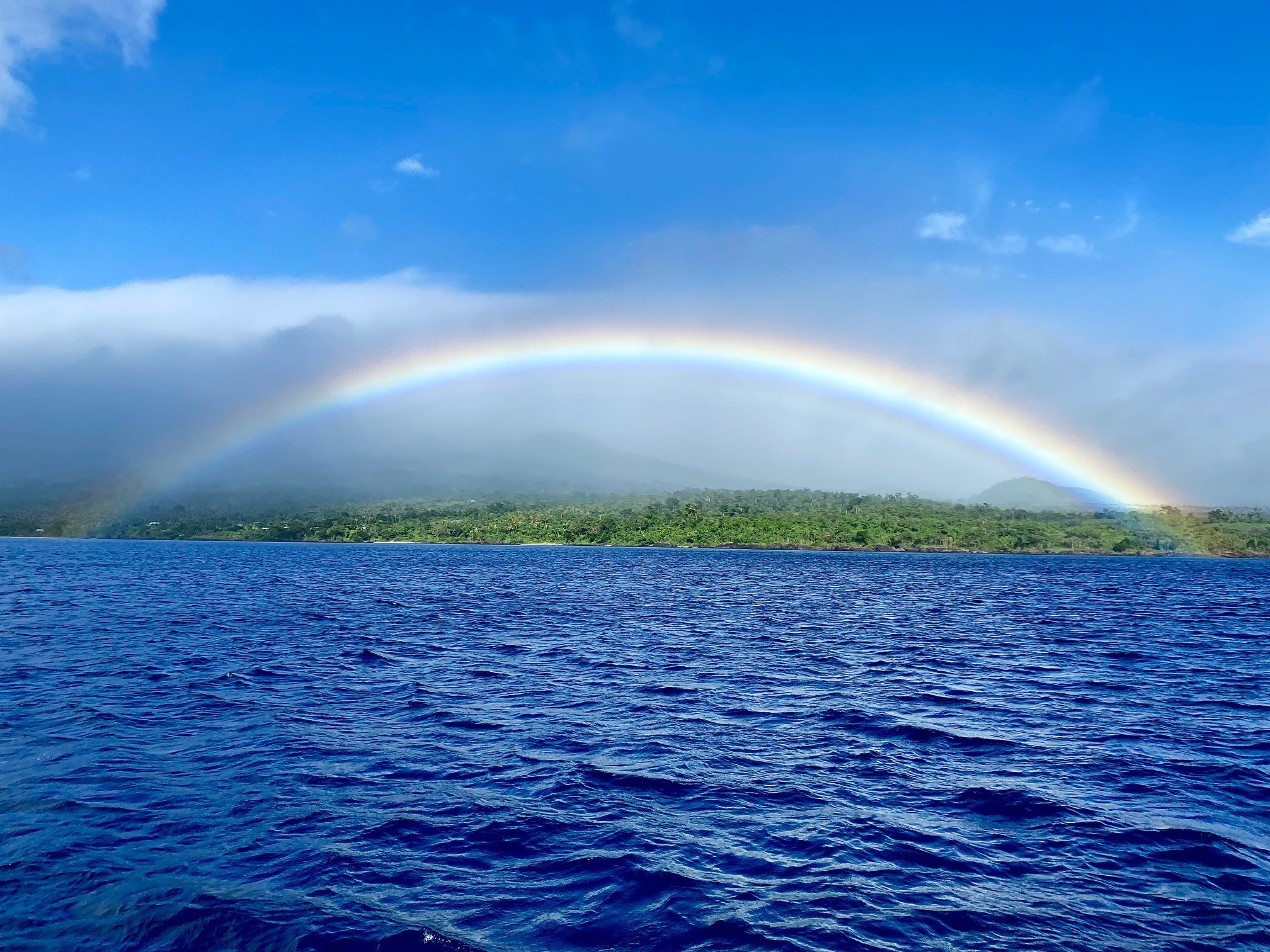
Rainbow over Guam
Rainbow over Guam

In Late February I flew back to Guam to do some much-needed work on my sailboat, and while here I definitely wanted to activate the 2 parks (K-0762 and K-0110) identified by the Parks On The Air team. The park activations in Washington and Texas were precursors to my 1-man holiday style DX / POTA activations.

The work on the boat took up more time than expected. Also, unusually strong trade winds made putting up the Buddipole antenna rather precarious and presented an almost constant risk of breaking or bending something. And to be completely honest, I did in fact break one extension arm and bend one of the extension shock-cord whips while setting up and a gust came from the opposite direction from the prevailing winds! Finally, although we are not yet in the rainy season, there were numerous rain showers that soaked various the island periodically throughout the day. The short story is that I didn't get on the air and play radio as much as I wanted, but I'm not finished yet and there will be more to come!

War In The Pacific National Historical Park 
(POTA K-0762)

Asan Beach Park

The War in the Pacific National Historical Park is actually 6 separate parks on the island of Guam. The largest of the 2 parks is Asan Beach in the village of Asan. This was the site of one of 2 main landing sites when the US Marines stormed Guam in 1944 to defeat the Japanese. However, very little remains of the fortifications and the area has been transformed into a popular beach park on the island. 

6 Units of War In the Pacific National Park in Guam

Working POTA/DX in Guam

On March 7, 2022, I activated the War in the Pacific National Historical Park (POTA K-0762). There are few picnic tables and no pavilions that would provide shade or protection from the weather. After spending a day to reconnoiter the vast park I finally decided on an area next to the parking lot at Asan Point to setup next to some bushes that would provide necessary shade. But the shade didn't appear until around 3 pm local time, and the park closed the gates at 6 pm. So, that gave me a 3-hour window to operate.

Asan Beach ops
I parked next to the grassy area where I setup my POTA shack. The POTA / 1-man holiday style DX shack that travels with me on my sailboat consists of a Helinox Table One Hard Top collapsible table, and a Helinox Chair One XL collapsible chair, a Honda EU2000i portable generator (very quiet), a Buddipole dipole on a Mastwerks 23' mast, a Powerwerx 30 amp switching power supply, an Elecraft KX3 transceiver, an Elecraft KXPA100 amplifier, and a Microsoft Surface Pro 2 tablet for running WSJTX for FT8 operations and ACLog for logging, and a Begali Adventure key for CW ops. The entire setup takes about 20 minutes. Tear down goes a little faster.

The first activation of this park was highly successful with 87 FT8 QSOs on 20M in about 3 hours of operation. Most of the QSOs were Japanese stations, but also include Indonesia, China, Brazil, Austria, Italy, Hawaii, Republic of Korea, North Macedonia, Texas, France, Spain, England, European Russia, Asiatic Russia, Australia, Denmark, and Canary Islands. I would say the propagation was great!

Based on my results from March 7, I returned to the same exact location in the park and setup on March 8. On day 2 of POTA operations at K-0110 I only made 74 FT8 QSOs on 20M. Hunters and DX'ers were from Republic of Korea, Japan, Texas, Hawaii, Uruguay, New Zealand, France, Asiatic Russia, China, England, Argentina, and Taiwan. Unfortunately, I had to stop transmitting and take 3 short breaks because the amplifier overheated. The average temperature in Guam is about 86F (30C) degrees. I only operated at about 50 watts and thought the almost constant winds would keep the amplifier cool. But for some reason on this day, I encountered an overheating problem. 

Ga'an Point Park


20cm Cannon
After a long break, on March 27 I activated the War in the Pacific National Historical Park at Ga'an Point in Agat village. 
This was the second primary landing beach for US Marines in 1944. This park is much smaller than Asan Beach but has the remains of a Japanese 20cm coastal defense gun, an anti-aircraft gun, a pillbox, and small caves where Japanese soldiers slept. There is no gate on this park, and it is open 24 hours a day. There are 2 picnic tables and a public restroom, but no pavilions for protection from the weather. As a big plus, it is a mere 3 minutes from the Agat Marina where I keep my boat.

Ga'an Point Ops
After finding a nice shady location to setup my portable "shack" and the antenna I started operations once again. This time along with the usual over-abundance of Japanese stations, I also had a total of 122 FT8 QSOs with Alaska, China, Republic of Korea, Texas, Washington, Hong Kong, Indianna, Canada, California, Indonesia, Oregon, Taiwan, Brazil, Asiatic Russia, Fiji, Australia, Hong Kong, Scotland, and the Republic of Korea.

All in all, with a little over 280 QSOs logged, March was not such a bad month.


Guam National Wildlife Refuge
(POTA K-0110)


Star Sand Beach
The second identified POTA park on the island of is the Guam National Wildlife Refuge. This is on the very north end of the island past Anderson Air Force Base which occupies much of the northern part of the island. The refuge is open Wednesday through Sunday from 07:30 am until 4:00 pm. Gates close at 4 pm! I drove up to the refuge and was introduced to the superintendent. Fortunately, she was familiar with amateur radio and showing her the POTA website helped explain my intent. She required that I submit a special use permit (something I wish I would have looked into earlier). Once submitted it only took about 1 week for approval. There were lots of restrictions; however, I was able to setup my POTA shack in 'disturbed' areas adjacent to parking areas. Not the most scenic area of the refuge, but I was able to operate inside the park boundaries!

Map of wildlife refuge on Guam
Finally, on the afternoon of April 2nd, I drove up to the refuge, setup the POTA shack and started FT8 operations on 20M and made 68 QSOs. Since I had to shut down at 3:45 PM I knew that I wasn't going to get as many European stations as I got at the War In The Pacific parks since most of those QSOs occurred after 4:00 pm local time. However, along with the Japanese stations I had contacts with New Caldonia, Republic of Korea, China, Asiatic Russia, Australia, Taiwan, Hawaii, Indonesia, and Washington. 

Moved ops for passing squall.
I decided to go back Sunday morning April 3rd and try again. I arrived at around 8 am, setup and started transmitting again. I wasn't getting pounced on by POTA hunters and DX'ers as in previous activations, to I switched to 15 meters and things started piling up. Unfortunately, around 11 am my amplifier stopped working. The KX3 was putting out a signal, but there was only a small trickle of power coming out of the amplifier. There were no over-heat indications. I tried shutting down and restarting. Taking a break to let it cool down. But nothing seemed to revive the amp. So, I shut things down and packed the kit back up. Fortunately, I was still able to make 50 QSOs, so the POTA activation still counted. 

AH2/WA7WJR POTA 405 QSOs

LESSONS LEARNED

  • When setting up a tripod hang a bag of sand or rocks from the bottom of the mast. This is an old photographer's trick to steady camera tripods. The additional weight is useful during assembly, while raising and lowering, and adds overall stability to the antenna rig.
  • Attach the guy lines to the mast, raise the mast, and secure the guy lines prior to attaching the antenna elements. This will prevent the mast from falling over with the antenna elements attached before the guy lines are secured. (Don't ask how I know this.)
  • If the park is a wildlife refuge, make sure you contact the park superintendent and inquire about special use permits well in advance of your planned operations. Also, check with staff as to operating locations within the refuge.
  • Find a shady spot to operate preferably with a good breeze. Don't forget water, sunscreen, and a good hat!
  • Carry spare Buddipole extension arms and whips, or an alternate antenna (e.g., wire antenna).
  • Pavilions are not always available. I'm going to look for a small 2-person tent to setup on days that have some probability of rain. 
  • When you go to a park to activate it for Parks on the Air talk to staff/rangers first to let them know what you're doing. Spend some time to identify operating locations that don't disturb the environment or other park visitors. And most importantly...spend some time enjoying the park and its beauty! Walk the trails, take a tour if available, and learn about the park's significance. 

Saturday, February 5, 2022

POTA Report 3 - Portable in Texas


Between
 January 29 and February 4, I spent the week visiting family in Texas. Before I departed for the trip, I scoped out parks that were close to my mother's home. The closest park within reasonable driving distance was W. Goodson Jones State Forest. So, needless to say I was pretty excited about getting the opportunity to travel with my "shack in a box" kit, activate a park in Texas, and of course visit with my mother!

Flying with my "shack in a box" kit was super easy and hassle-free. It probably helps that I have TSA Pre-Check and seem to experience less scrutiny in US airports. The outside of the case is plastered with all sorts of amateur radio related stickers, which may also help the TSA inspectors get an idea of what's inside. The Apache 4300 case fits perfectly inside the overhead compartments on most airplanes and I was not even questioned about the size. I did check the Buddipole antenna because I decided to take the 18' mast package with a tripod instead of the 12' mast kit which is small enough to carry-on even with the tripod. The only change I think I will make is to add some sort of shoulder strap for the case.


In addition to the Surface Go 2 as my logging device, I took my Boogie Board Jot Writing Tablet that I usually keep on my home station desk to keep notes on during a rag-chew QSO. It is now a permanent accessory in my "shack in a box" kit, and I intend to purchase another for my home station. The Boogie Board is way better than a notebook or scraps of paper for taking "perishable" notes. It takes no batteries, lasts forever, and easily seen in bright sunlight. 

My previous activations were primarily using FT-8 mode so I simply exported the ADI file from WSJT-X. But for CW and SSB in the field I use N3FJP Amateur Contact (AC) Log. It's not free, but it is intuitive to use, and the user interface is highly customizable for different types of operations. It also has a free downloadable AC Log Calldata lookup database when operating off-grid without internet connection. I'll publish instructions and include a video demonstrating how to customize AC Log for logging CW and SSB POTA activations to make it easier to log QSOs, and to submit logs to the Parks on the Air coordinators. Although AC Log can interface with WSJT-X, it is simply not possible on a Surface Go 2 (or at least I haven't figured out how to do it easily yet) due to the lack of USB ports, but it may be possible with LP Bridge software.

Unfortunately, traveling on airplanes with LifePo4 lithium batteries is still not allowed so instead of just taking my POTA kit, I took my entire "shack in a box" kit. My "shack in a box" kit is setup for operations where there is AC power available.  Along with the POTA activations, I planned to setup my portable "shack in a box" at my mother home, but due to rain I didn't get around to that on this trip. So, in order to activate the park, the first thing I had to do was go out and buy an SLA battery. Conveniently there was a Batteries Plus Bulb store in town to purchase a battery to power my activations. Now I was ready to go!

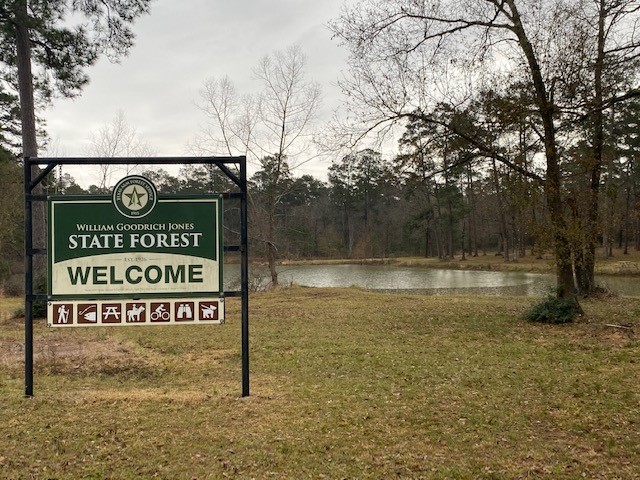
W. Goodson Jones State Forest (POTA K-4422)

I am old, but my mother is older, and she likes to take naps. So, during one of her afternoon naps I took the car, drove the 18 miles to the park and setup operations on one of the few picnic tables beside the small lake. There were 2 other cars in the lot, but I didn't see another person while I was there. The park's parking lot is just off the highway. It's a nice park with lots of trees, but it is not "dense forest" by any means. There are numerous trails throughout the park which provide easy walks on the very flat terrain. I suspect that during better (warmer) weather the park is bustling. I did not find any covered pavilions, so this park is for fair-weather activations only. 

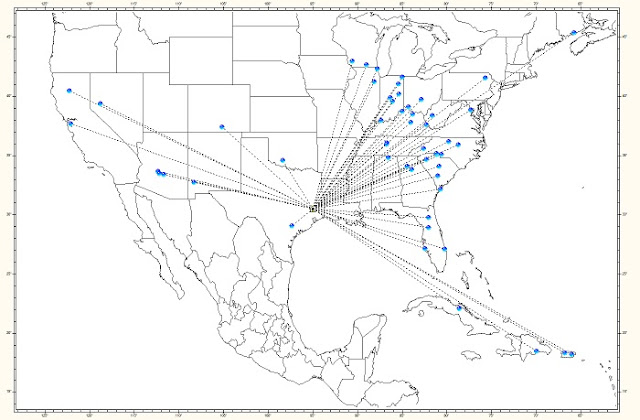
POTA K-4422 QSOs

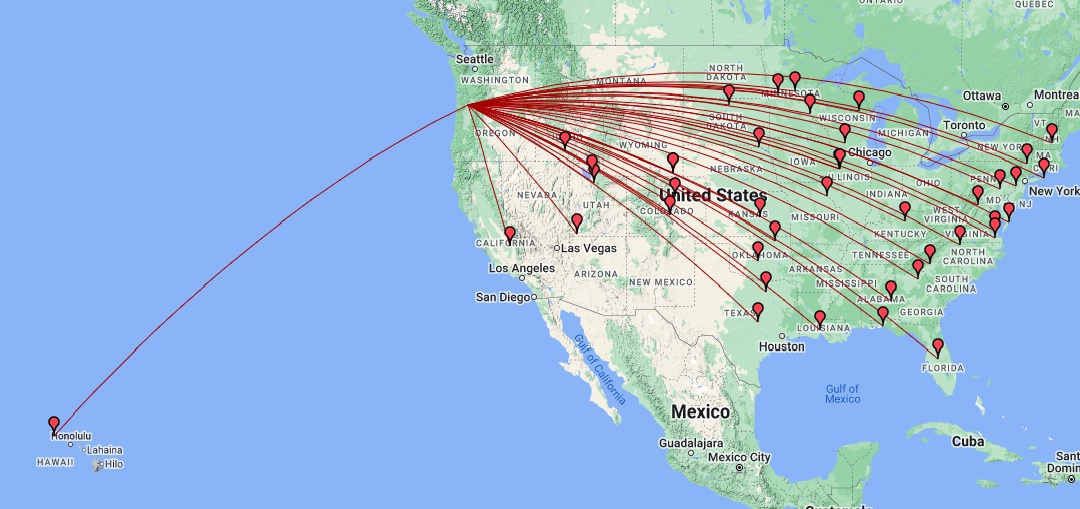
I operated for an hour on the 30th of January and an hour and half on February 2nd. For some reason, I was not getting out on FT-8 as all. This really bugged me because I didn't change any of the settings since leaving Seattle. The rig was receiving and decoding, and the rig was sending out a signal, but there were no spots on HamAlert or PSKReporter. Later I discovered the volume in the Sound Settings on the Surface Go 2 were max'd out and I was transmitting a bunch of splatter. Anyway, I switched over to SSB and started calling CQ POTA and made 25 QSO on the first day and 37 QSOs on the second day of activating this park. My first QSO on day one was with Puerto Rico, and on day 2 I had my first Park-to-Park QSO. 

LESSONs LEARNED: 

Make a checklist of transceiver and ALL software settings for the POTA kit. 

Customize software (if possible) for easier logging, and reporting. 

The nearby freeway generated some periodic ambient noise from passing trucks, so headphones are a must. I also suspect the weather was greatly affecting propagation. The noise floor on the 2nd activation was S3 and increased to S5 by the time I made my last QSO. Despite the cold weather in Texas and the rain I was glad I got to activate this park and test out my "shack in a box" kit and operate in a different part of the country. And, of course, I was also happy I got to spend some quality time with my mother. 

Monday, January 24, 2022

More Lessons from 2nd Parks on the Air Activation

One of the great things about amateur radio is the constant learning and skill improvement that is an inherent aspect of this hobby. Setting up a shack in a home is one thing but operating in the field is quite another adventure and requires new skills and sometimes even a different frame of mind, a liberal sprinkle of patience, and a high tolerance for cold weather (if you're out this time of year in the more northern latitudes.)

On January 22 I activated my second park for the Parks on the Air (POTA) program. The temperature outside was a cool 37F/2.7C, but at least the sun was out making it feel like a rather balmy 37F day. And, with no rain in the forecast and sunshine what more reason do I need to go outside and play? So, I packed my POTA kit and drove the 13 miles to Saltwater State Park in Des Moines, Washington. This was my first time to this park in the 24 years I lived in Washington. That is pretty sad now that I think about it because it is really a beautiful little park. 

When I arrived around 12:30 pm there really weren't that many people, and most were walking on the tidal flats or with their kids playing at the playground in a different section of the park.  I grabbed a parking spot right next to the beach and unloaded my kit onto a picnic table on the small grassy field overlooking the log strewn beach. I chose a spot close to the edge of the grassy area next to some logs because I thought it would be out of the way despite being front and center.

Once again, I setup my Buddipole dipole antenna for 20 meters on the edge of the grassy area. Two of the guy lines were secured along roughly the same parallel as the mast, and away from foot traffic.  The 3rd guy line I ran back to the picnic table and secured it so the guy line would mostly be above head height just in case someone felt compelled to walk across the 10 feet of grass between me and the antenna.

In my first POTA activation I operated QRP, but this time I setup my Elecraft KX3 with the KXPA100 amplifier. I wanted to evaluate how the 2 Dakota Lithium batteries (20Ah total) would hold up while running the amp at nominal 50W in FT-8 mode. Unfortunately, I only operated for 3 hours before my I couldn't feel my fingers and called it a day. Three hours was really not enough time to adequately evaluate QRV duration while running the amp with 2 10Ah batteries in parallel. But during the 3 hours of operation I made 66 QSOs, including 3 Japanese stations, 3 Canadian stations, and 1 Mexican station. 


POTA QSOs from K-3236

By 3 pm there were a lot more people enjoying the park. A few came over to chat usually starting the conversation by asking, "What are you measuring?" I am thinking that CW is probably a little easier to explain than FT-8 mode; especially since there is zero sound coming from my rig or Surface Go 2 and I'm operating in silence. Most would walk around the antenna and the picnic table, but a few decided to walk directly under the single guy line between the antenna mast and the picnic table most carefully stepping over the antenna cable. Only one 'Karen' approached the antenna mast, looked up at it for a few seconds, then looked at me and started walking underneath the guy and say, "why would the let someone put that up there?" She made sure I heard her complaint because she turned around and looked at me. I smiled and waved. (But secretly I thought to myself they allow it because they think most people are smart enough to walk around it.)

Saltwater State Park is a great place to operate and activate a park despite the almost constant aircraft traffic landing and taking off from SeaTac airport. 

I am still learning about portable and POTA activations, so here are some additional lesson's learned:

  • If you're throwing wires into trees, make sure you get permission from the park authorities first!
  • If you're putting up a mast of any sort it might be a good idea to attach 1' long 1" wide hi-vis yellow, green, or orange ribbons at the 4-5 foot height above ground level on all guy lines. This is low enough for most children to see, and high enough for most adults to notice; especially if there is the slightest breeze. (HOWEVER, it doesn't matter the number or color of ribbons you use, there will almost always be at least 1 'Karen' who will go out of her/his way just so she/he can complain.)
  • Also, it might be a good idea to get some small hi-viz 6" cones to place at the end of each guy, and also every 3-5 feet on the ground along your coax between the rig and the antenna if you plan to work anywhere near other people. (I ordered 6 of these.)
  • I saw this on idea from WD9EWK posted on Twitter, and I made up a few signs for myself to setup beside my kit.
  • In your POTA kit don't forget to include a pocketknife or Leatherman tool.
  • Also include a small first aid kit (for those times you cut yourself with your pocketknife or Leatherman tool).


Elecraft KX3 Macros for DXpeditions & POTA Using the QRPWorks SideKar

 I n my previous post  Elecraft KX3 Macros for Multi-Mode POTA Activations , I wrote about the recursive macros I programmed into the KX3 to...